Announcements
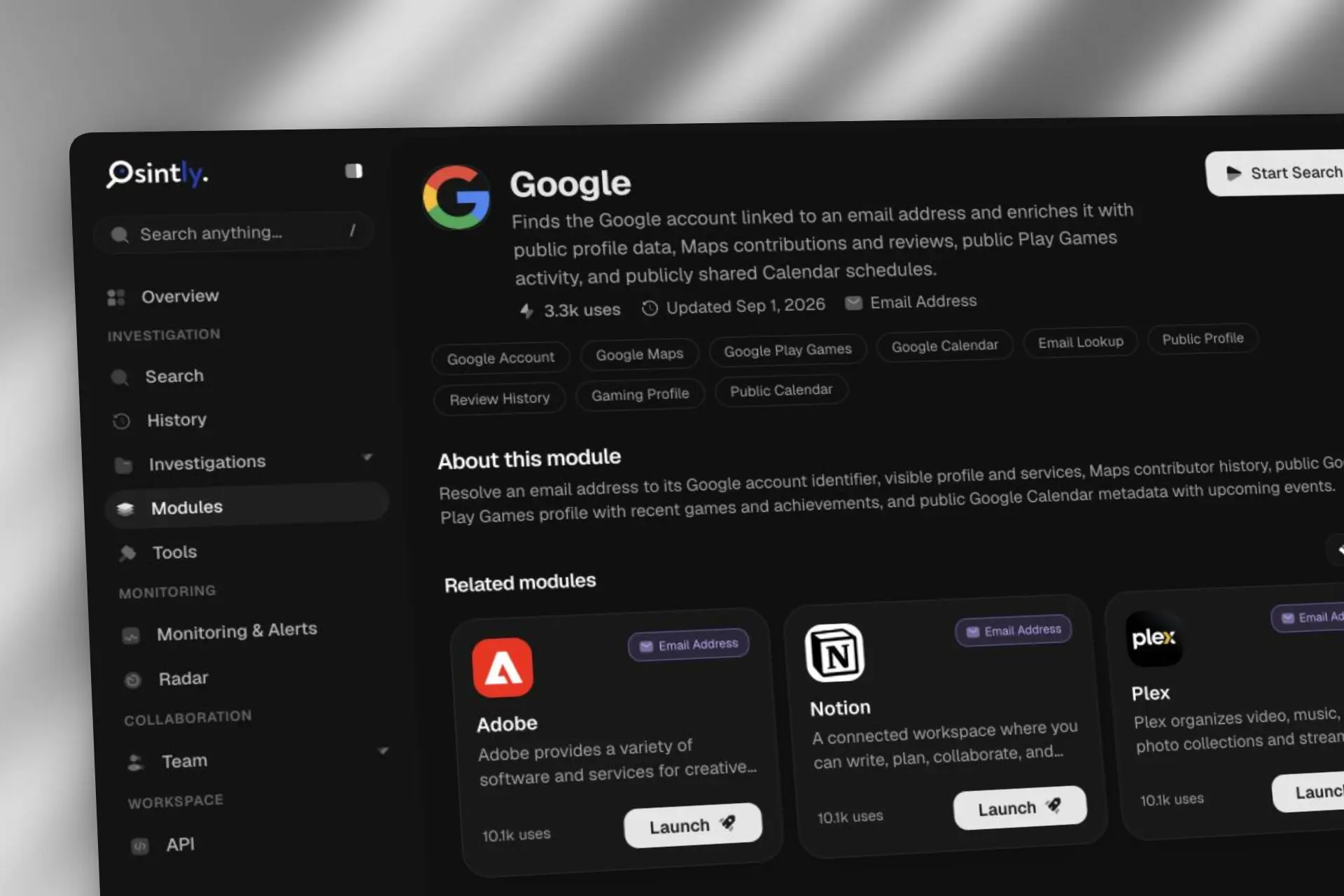
Email OSINT on Osintly: 50+ Modules, Led by Google
Osintly now offers more than 50 published email OSINT modules. See how Google, Flickr, Garmin Connect, Microsoft Teams, NPM, and more enrich an email address.
By OsintlyRead

We are the team behind Osintly, a unified OSINT platform. Instead of juggling a dozen separate tools, investigators, security researchers, and journalists can search across pseudonyms, emails, phone numbers, IPs, domains, and crypto addresses, all from a single workspace, and get enriched, correlated results streamed in real time.
We have always tried to be transparent about how Osintly works under the hood. So in this article, we are sharing an honest look at the infrastructure behind the platform, how we got here, the choices we made, and what we learned along the way.
We have been building Osintly for about a year now. And like most early-stage products, we did not get the infrastructure right on the first try.
When we launched, the stack was simple. The website ran on Next.js deployed on Vercel, research was handled by self-hosted servers, and Supabase covered the database. For a product with a limited feature set, it was good. Then things started breaking.
The first signal came from Vercel support, who asked us to remove our Cloudflare proxy from in front of the deployment. The problem is, we were heavily relying on Cloudflare for pretty much everything around security and performance: WAF rules, caching, rate limiting, Zero Trust access. Removing that proxy was not really an option for us. It would have meant giving up on tools we had already built our workflows around.
On top of that, the DDoS situation made things worse. During attack waves, a significant number of malicious requests were still getting through Vercel's firewall and hitting our app, inflating our usage. We found ourselves contacting support regularly to dispute charges from traffic we never wanted. And with firewall analytics limited to a 1-day lookback, incident analysis was nearly impossible. We could not identify patterns, we could not investigate properly.
So we dropped Vercel entirely and discovered Cloudflare Workers.
At that point, the infrastructure did not change much. Self-hosted research servers, Supabase for the database, same architecture overall. The only real difference was that the Next.js frontend was now running on Workers via OpenNext. Honestly, the main driver was cost. Workers is significantly cheaper for our usage patterns, and since we were already deep into the Cloudflare ecosystem for WAF, caching, and Zero Trust, it just made sense to consolidate.
Last September, we made the decision to rebuild Osintly from the ground up. Not because the old version was broken, but because we had outgrown it. New features were on the roadmap that the existing architecture simply could not support cleanly, and we wanted to open new doors rather than keep patching around old constraints (rebuilding was simpler than adding features to the old app).
That rebuild was the opportunity to rethink everything, including how we were using Cloudflare. Instead of just using it as a proxy and a place to host the website, we asked ourselves: how far can we actually go with their ecosystem? Turns out, pretty far.
Before listing every service, it helps to understand what a search on Osintly actually does, because the infrastructure exists to serve that flow.
When a user submits a query, a lot happens at once. The request hits our API first, which handles authentication, usage checks, rate limiting, and request validation. Once cleared, it hands off to the Dispatcher, which routes the task to one of our available instances. Each instance then runs the relevant OSINT modules in parallel. Some of those modules need a real browser to get data, others hit external APIs directly, and some go through our own specialized internal services. All of these results stream back to the user in real time, as they arrive.
On top of that, some queries trigger monitoring jobs that run on a schedule and alert users when something new shows up.
So what we needed was:
Here is what the stack looks like today:
Cloudflare side:
Self-hosted via Coolify:
We are also using other external services, but here we are focusing on the main ones.
The website is a Next.js app deployed on Cloudflare Workers using OpenNext. If you are not familiar with it, OpenNext is an open-source adapter that makes Next.js deployable on non-Vercel infrastructure, including Cloudflare.
The setup is well documented and honestly not that painful to get running. For most use cases it just works. That said, it is not perfect. We ran into some issues with newer versions of Next.js, which are known limitations that the OpenNext team is actively working on. Nothing that blocked us, but worth knowing if you are planning to go down this route.
Overall, if you are comfortable with Next.js and want to deploy on Workers, OpenNext is the way to go. Just keep an eye on the changelog and open issues before upgrading Next.js versions.
The public API is built with Hono.js, deployed on Workers. If you have never used Hono, it is a lightweight web framework built for edge runtimes. It feels familiar if you know Express, but it is designed from the ground up to run on Workers, Deno, Bun, and similar environments. Cloudflare even ships an official starter template for it, which is exactly what we used to get going.
The API is the main entry point for everything search-related. Whether the request comes from the Osintly website or from a third party using our API, it goes through here. On every request, the API handles Bearer token authentication, usage checks, rate limiting, and request validation before anything else happens. Only once all of that passes does the search actually get dispatched.
Hono on Workers is genuinely a great combination. The framework is minimal, fast, and has no surprises. Routing, middleware, and request handling all feel clean. No notable pain points here.
A module in Osintly is a JavaScript file with a single job: fetch a specific piece of data, whether that means hitting an API, a website, or querying a specialized source. Each module is self-contained and purpose-built for one data source. We have around 900 of them today.
All of these modules are stored in Cloudflare R2. Connecting R2 to a Worker is trivial via Wrangler, just declare the binding in your wrangler.jsonc and it is accessible directly in your Worker context. No credentials to manage, no SDK to configure.
"r2_buckets": [
  {
    "remote": true,
    "binding": "BUCKET_BINDING",
    "bucket_name": "NAME"
  }
]
The Dispatcher is a self-hosted service running on Coolify. Its job is purely routing: when the API sends a task, the Dispatcher picks an available instance and forwards it there. The instances are what actually run the modules, in parallel, for a given search.
Both the Dispatcher and the instances live on our own servers, not on Cloudflare. The compute needed to run 900 modules in parallel is not something you want to squeeze into a Worker.
We needed Redis for real-time search streaming and pub/sub between the instances and the API. The obvious library, ioredis, does not work on Workers. The reason is straightforward: Workers cannot create TCP connections, and Redis speaks TCP. That is a hard wall.
The clean solution would have been Upstash, which exposes Redis over a REST API and has an official SDK for Workers. But we wanted a self-hosted Redis. We did not want to depend on another managed service, and we wanted full control over the data.
So we built a small Hono.js service, self-hosted on our servers, that acts as an HTTP gateway in front of our Redis instance. Our Workers call it over HTTP, it handles the TCP connection to Redis on their behalf.
Workers -> HTTP -> Redis Gateway -> RedisThis is one of the most underrated parts of the Cloudflare ecosystem.
Our self-hosted services, the Dispatcher, the Redis Gateway, the Browser Pool, and our internal services, all need to be reachable from our Workers. But we never wanted to expose them to the public internet with open ports.
The solution is Cloudflare Tunnel. Each internal service runs a cloudflared daemon that creates an outbound connection to Cloudflare. Workers reach them via internal hostnames, no public IPs, no open ports, no exposed infrastructure.
Beyond that, we also use Zero Trust to protect our development and staging environments. Instead of managing IP allowlists or VPNs, we just put a Zero Trust access policy in front of them. It works really well and takes about five minutes to set up.
The dashboard is still rough. Things have improved over time, but navigating it is not always intuitive. Sections move around, especially for domain management, and the search functionality does not really help you find what you are looking for quickly. When you are managing multiple Workers, routes, tunnels, and KV namespaces at the same time, it can get really confusing.
Variables and Secrets on Workers are poorly documented. This one caught us off guard. You can define variables and secrets directly from the dashboard, but if you do not explicitly mark something as a secret, it disappears on the next deployment triggered by Wrangler. The interaction between dashboard-defined variables and Wrangler is not clearly explained anywhere. It cost us some debugging time. We use .env files for development, variables are not defined in wrangler.jsonc, and we are not using the Cloudflare Secrets Store.
R2 object management in the dashboard is limited. R2 is easy to integrate from code, but if you need to browse, manage, or debug objects directly from the dashboard, the experience is not great.
Honestly, outside of those three points, we have very little to complain about.
The analytics are comprehensive. Pricing is straightforward, you can run the full stack for around $30 a month between Workers and Cloudflare Pro. There are a lot of options, maybe too many at first, but once everything is configured it is genuinely powerful. Features like Image Transformations and Stream are useful extras that fit naturally into a SaaS stack.
For building a SaaS, Cloudflare is hard to beat.
Building on Cloudflare is not always smooth. But for a small team running a complex SaaS, the tradeoff is very much worth it. Global edge deployment by default, a security layer that actually works, a pricing model that does not punish you for growing, and an ecosystem of tools that cover most of what you need without adding external dependencies.
The Osintly Team
Find us at osint.ly — 2 days free trial
Announcements
Osintly now offers more than 50 published email OSINT modules. See how Google, Flickr, Garmin Connect, Microsoft Teams, NPM, and more enrich an email address.

Announcements
Fetch domain logos as images via a simple GET request. No auth, CORS enabled, served from the edge.
Announcements
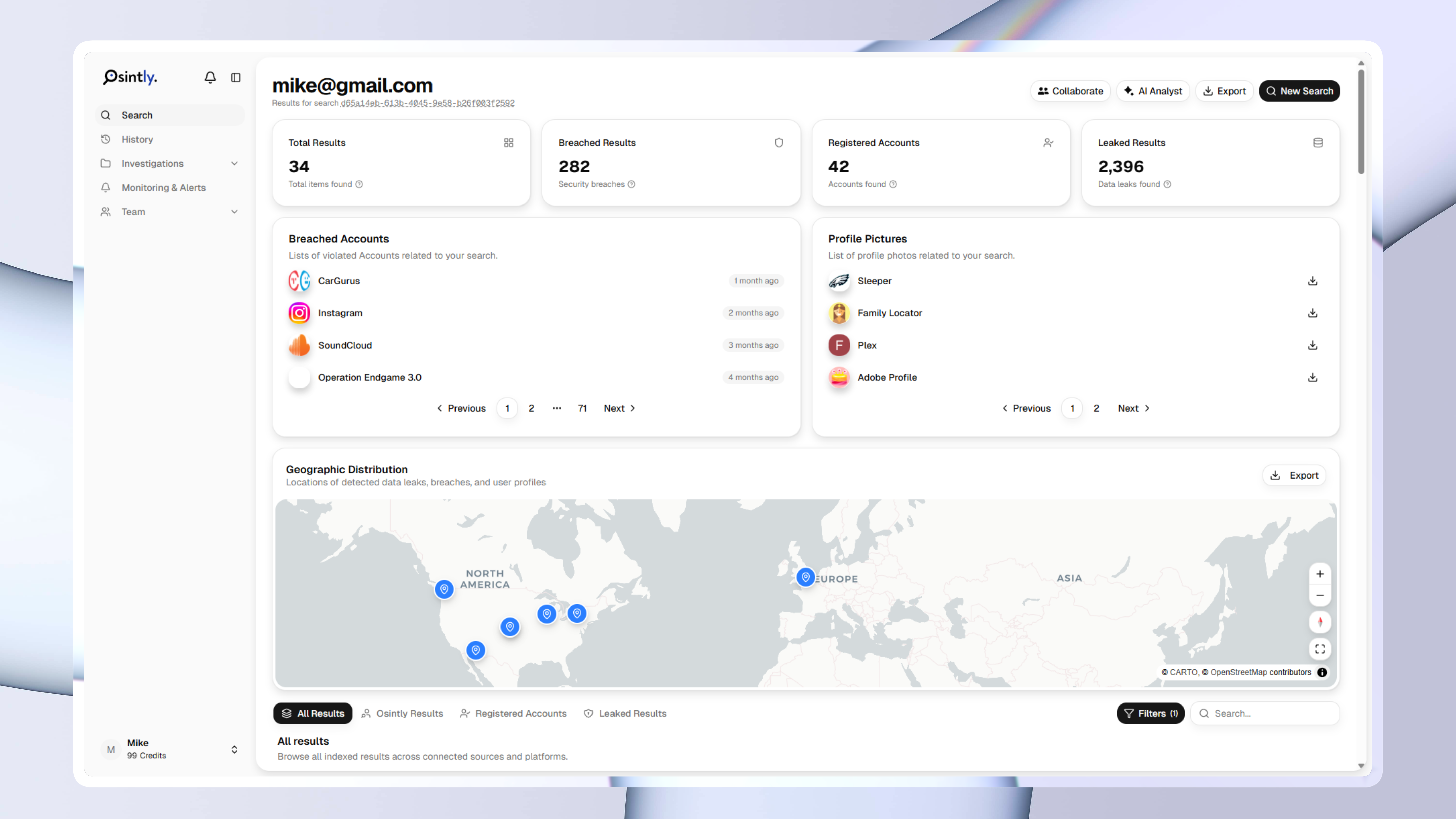
We just shipped the biggest update to Osintly since launch. New interface, new features, new data sources. Here's everything that changed.
Announcements
From a small idea in June 2024 to 3,000 users today, here's what this milestone means to us, what we've built so far, and where we're headed next. This is just the beginning.
1,550+ ready-to-use OSINT modules covering people, companies, domains, emails, and more.
Everything you need to integrate Osintly into your workflow, from quick start to advanced APIs.
Connect with thousands of OSINT investigators. Share techniques, ask questions, collaborate.
Tutorials, case studies, and insights from our team of open source intelligence specialists.
1,550+ OSINT modules. AI analyst built-in. Real-time data. Everything you need in one place.